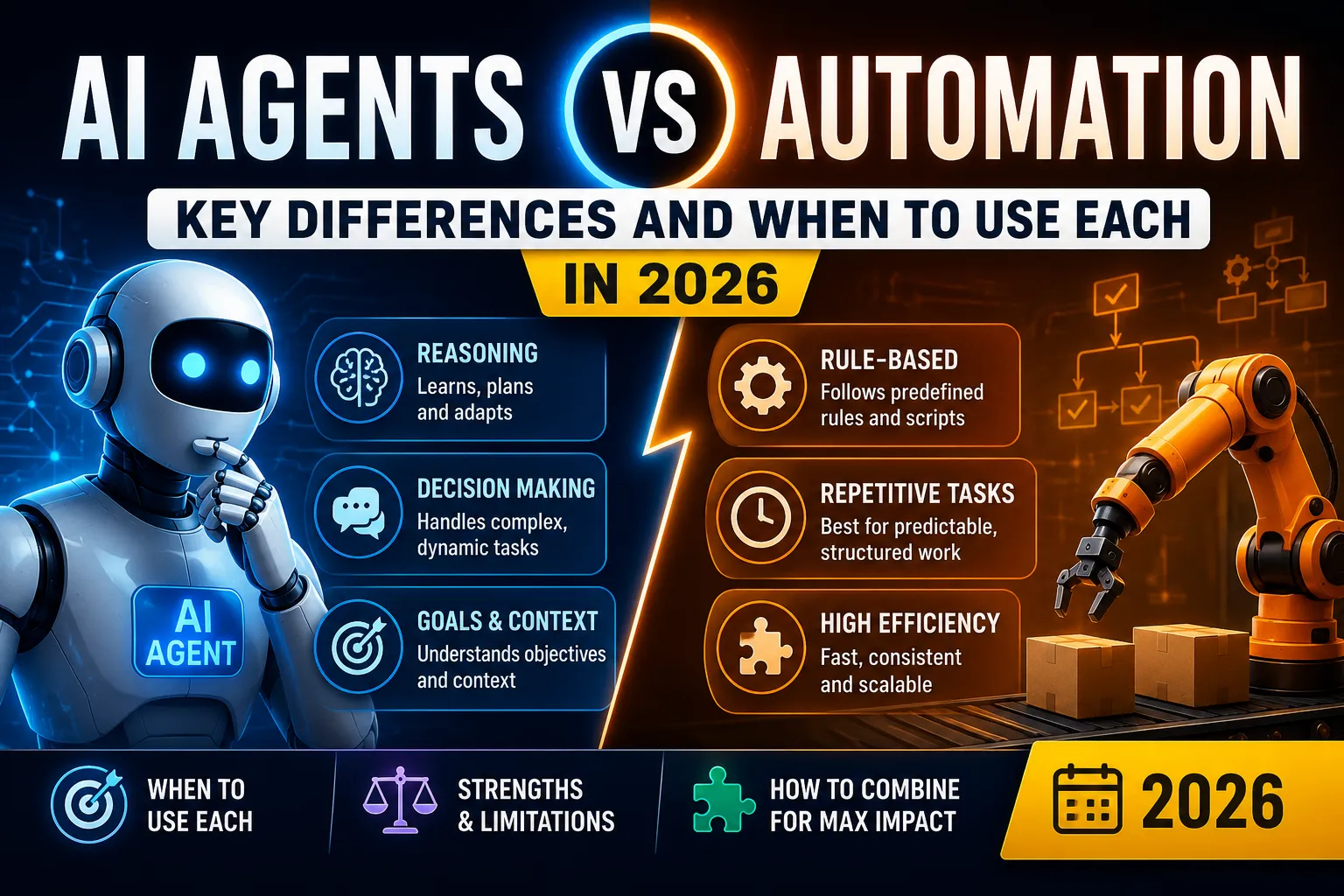
AI Automation vs Traditional Automation: Key Differences in 2026
Understanding the key differences between AI automation and traditional automation in 2026. Learn when to use each, their strengths, limitations, and how to combine them for maximum efficiency.

AI Automation vs Traditional Automation: Key Differences in 2026
Two types of automation exist today: traditional and AI-powered. Each has its place.
Understanding their differences helps you choose the right approach for each task—and avoid wasting time and money on the wrong solution.
Key Takeaways
- Traditional automation follows fixed rules. It's predictable, reliable, and ideal for repetitive tasks.
- AI automation learns and adapts. It handles complexity, language, and decision-making.
- Neither is "better." They serve different purposes.
- The best approach combines both. Traditional automation handles the basics; AI adds intelligence at key points.
- Costs differ significantly. Traditional automation is cheaper for simple tasks. AI automation delivers higher ROI for complex tasks.
Who Is This Comparison For?
This guide is for:
- Business owners choosing automation strategies
- Operations managers evaluating solutions
- IT leaders planning automation roadmaps
- Anyone confused by the hype around AI automation
What Is Traditional Automation?
Traditional automation uses rules and scripts to perform tasks automatically. It follows instructions you write—nothing more, nothing less.
How It Works:
- You define the rules (if X happens, do Y)
- The system executes those rules exactly
- No learning, no adaptation, no variation
Common Examples:
- Data transfer between systems (CRM → Email)
- Scheduled report generation
- Invoice processing with templates
- Email notifications based on triggers
- Robotic Process Automation (RPA)
Example Workflow:
- Customer fills out a form (trigger)
- System adds customer to CRM (action)
- System sends welcome email (action)
That's it. Simple, predictable, and effective.
What Is AI Automation?
AI automation uses artificial intelligence to make decisions, process language, and handle complex tasks. It learns from data and improves over time.
How It Works:
- You provide examples and data
- The AI learns patterns
- It applies these patterns to new situations
- It improves with more data and feedback
Common Examples:
- AI chatbots handling customer questions
- Lead scoring based on behavior and fit
- Content generation (emails, social posts)
- Fraud detection in financial transactions
- Sentiment analysis of customer feedback
- Predictive analytics
Example Workflow:
- Customer sends an email (trigger)
- AI reads the email (natural language understanding)
- AI determines the intent (question, complaint, request)
- AI drafts a response (content generation)
- Human reviews and sends (human-in-the-loop)
- AI learns from the interaction (continuous improvement)
Key Differences: Side-by-Side Comparison
When to Use Traditional Automation
Best Use Cases
-
Data Transfer Between Systems
- Moving data from A to B
- Formatting and mapping data
- Scheduled data synchronization
-
Notifications and Alerts
- Sending emails, SMS, or Slack messages
- Reminder notifications
- Status updates
-
Scheduled Tasks
- Report generation
- Data backups
- Batch processing
-
Simple Routing
- Assigning tickets to agents
- Routing leads to sales reps
- Assigning tasks to team members
-
Filing and Organizing
- Sorting documents
- Archiving records
- Updating databases
Characteristics
- Predictable: Every execution is the same
- Rule-based: Follows clear, documented rules
- No variation: The task is identical each time
- No ambiguity: Everything is clear and defined
Example
Task: When a new customer signs up, add them to the CRM and send a welcome email.
Traditional automation approach:
- New customer sign-up triggers the workflow
- System adds customer to CRM (API call)
- System sends a pre-written welcome email
- Done.
Time to build: 10 minutes Maintenance: None Cost: Low
When to Use AI Automation
Best Use Cases
-
Customer Support
- Answering customer questions
- Classifying support tickets
- Generating personalized responses
-
Content Creation
- Drafting emails, blog posts, or social media
- Personalizing marketing messages
- Summarizing documents
-
Decision-Making
- Lead scoring and qualification
- Fraud detection
- Price optimization
-
Data Analysis
- Analyzing unstructured text
- Extracting insights from data
- Predictive analytics
-
Personalization
- Product recommendations
- Personalized user experiences
- Dynamic content generation
Characteristics
- Complex: Requires understanding language or patterns
- Unstructured: Data is messy and varies
- Ambiguous: Many possible answers or approaches
- Learning: Improves with more data
Example
Task: When a customer emails support, understand their issue and draft a helpful response.
AI automation approach:
- Customer emails support (trigger)
- AI reads the email (natural language understanding)
- AI identifies the intent (question, complaint, request)
- AI checks knowledge base for relevant information
- AI drafts a personalized response
- AI sends the response (or human reviews)
- AI learns from feedback (continuous improvement)
Time to build: 1-5 days (setup and training) Maintenance: Ongoing (model updates) Cost: Medium to high ROI: Very high (saves hours of human time)
The Hybrid Approach: Combining Both
Most modern automation combines both approaches. Here's how.
Common Hybrid Patterns
Pattern 1: Traditional Automation + AI Decision Point
- Traditional automation handles data transfer (CRM → Email)
- AI scores the lead (lead qualification)
- Traditional automation routes based on score (sales or nurture)
Pattern 2: AI Input + Traditional Output
- AI extracts data from unstructured sources (invoices, emails)
- Traditional automation processes the structured data (database entry, notifications)
Pattern 3: Traditional Automation + Human-in-the-Loop
- Traditional automation handles the basics (filtering, sorting)
- AI generates suggestions
- Human reviews and approves
- Traditional automation executes
Example: Intelligent Customer Support Flow
- Traditional automation receives the ticket and logs it
- AI reads the ticket and suggests a response
- Traditional automation presents the suggestion to the agent
- AI learns from the agent's changes
- Traditional automation sends the response when approved
- AI analyzes customer satisfaction after resolution
Cost Comparison
Traditional Automation Costs
AI Automation Costs
ROI Comparison
Traditional automation ROI:
- Time saved: 10-20 hours/month
- Value: $500 - $1,000/month
- Annual savings: $6,000 - $12,000
AI automation ROI:
- Time saved: 50-200+ hours/month
- Value: $2,500 - $10,000+/month
- Annual savings: $30,000 - $120,000+
For a detailed ROI calculation, read How to Measure ROI from AI Automation.
Implementation Timeline
Traditional Automation
AI Automation
Why AI Takes Longer
- Data preparation: AI needs quality data to learn
- Model training: AI needs to learn from examples
- Iterative testing: AI often requires multiple iterations
- Optimization: AI improves with feedback
Choosing the Right Approach: Decision Framework
Questions to Ask
For each task, ask:
- Is the task repetitive and predictable?
- Does the task involve language, images, or patterns?
- Do we have quality data?
- What's our budget?
- Do we have the expertise?
- What's the cost of mistakes?
Decision Matrix
Quick Guide
Use Traditional Automation for:
- Data transfer
- Notifications
- Scheduling
- Simple routing
- Exact, identical tasks
Use AI Automation for:
- Customer support
- Content creation
- Decision-making
- Data analysis
- Personalization
Use Both for:
- Lead scoring + routing
- Ticket triage + assignment
- Customer support + follow-up
- Any workflow with complex decision points
Common Mistakes
Mistake 1: Using AI Where Traditional Automation Works
Don't: Use AI to transfer data between systems. Traditional automation does this perfectly.
Do: Use traditional automation for simple, repetitive tasks.
Mistake 2: Using Traditional Automation Where AI Is Needed
Don't: Try to write rules for tasks that involve language or decision-making.
Do: Use AI when the task is complex or involves unstructured data.
Mistake 3: Not Combining Both
Don't: Choose one approach for everything.
Do: Combine both where they complement each other.
Mistake 4: Underestimating AI Data Requirements
Don't: Expect AI to work with poor quality data.
Do: Clean and prepare data before training.
Mistake 5: Expecting Perfection from AI
Don't: Assume AI will always be correct.
Do: Plan for errors and include human review.
Future Trends (2026-2027)
Trend 1: Hybrid Automation Is Becoming the Norm
Most businesses will combine traditional and AI automation by 2027.
Trend 2: Traditional Automation Is Getting AI Features
Tools like Zapier, Make, and n8n are adding AI capabilities to traditional automation.
Trend 3: No-Code AI Is Exploding
More tools are making AI automation accessible to non-technical users.
Trend 4: Agentic AI Is Changing Everything
AI agents (AutoGen, CrewAI) can handle complex, multi-step tasks independently.
Trend 5: Traditional RPA Is Becoming Obsolete
RPA tools that only handle rules are being replaced by AI-powered automation.
Real-World Examples
Example 1: E-commerce Order Processing
Traditional automation:
- Receives order → adds to database
- Sends confirmation email
- Updates inventory
AI automation:
- Receives order → analyzes for fraud
- AI scores fraud risk
- If high-risk → flags for review
- If low-risk → processes order
Hybrid approach:
- Traditional automation handles order processing
- AI adds fraud detection at the decision point
- Traditional automation routes based on AI decision
Example 2: Customer Support Ticket Routing
Traditional automation:
- Ticket arrives → assigned to next agent
- Agent handles based on type
AI automation:
- Ticket arrives → AI reads content
- AI identifies urgency and type
- AI suggests response
- AI routes to the right agent
Hybrid approach:
- Traditional automation logs the ticket
- AI classifies and suggests response
- Traditional automation routes to agent
- Human reviews and sends
Example 3: Lead Qualification
Traditional automation:
- Lead arrives → added to CRM
- Sales rep researches and qualifies
AI automation:
- Lead arrives → AI enriches data
- AI scores lead based on fit and intent
- AI routes to sales or nurture
Hybrid approach:
- Traditional automation logs the lead
- AI scores and qualifies
- Traditional automation routes based on score
Conclusion
Traditional automation and AI automation serve different purposes. Neither is better—they complement each other.
Summary:
- Traditional automation: Rule-based, predictable, cheap. Use for repetitive tasks.
- AI automation: Data-driven, flexible, handles complexity. Use for language, decisions, and patterns.
- Hybrid approach: The best of both worlds. Use both where they fit.
Your next steps:
- Audit your workflows
- Identify which tasks fit each approach
- Start with traditional automation for simple tasks
- Add AI automation for complex tasks
- Combine both for maximum efficiency
The key is understanding which approach fits each task. Start small, learn, and scale.
FAQ
What is the difference between AI automation and traditional automation?
Traditional automation follows fixed rules you program. It's predictable and works for repetitive tasks. AI automation learns from data, adapts to new situations, and handles complex tasks involving language, images, or patterns. AI automation is more flexible but requires more data and expertise.
When should I use traditional automation vs AI automation?
Use traditional automation for predictable, rule-based tasks with no variation (e.g., data transfer, scheduled reports). Use AI automation for tasks involving unstructured data, language understanding, decision-making, or pattern recognition (e.g., customer support, lead scoring, fraud detection).
Is AI automation replacing traditional automation?
No. AI automation is complementing and expanding traditional automation, not replacing it. Many businesses use both together: traditional automation for standard tasks and AI for complex decision points. The best approach combines both technologies.
Which type of automation is easier to implement?
Traditional automation is generally easier to implement because it follows clear rules. AI automation requires more data, expertise, and iterative testing. However, no-code tools are making AI automation increasingly accessible to non-technical users.
Can I combine AI and traditional automation?
Yes. Most modern automation platforms combine both. Traditional automation handles predictable steps (data transfer, notifications), while AI adds intelligence at decision points (classification, content generation). This hybrid approach gives you the best of both worlds.
Which type of automation should I start with?
Start with traditional automation for simple, repetitive tasks. Once you're comfortable, add AI automation for more complex tasks. Most businesses start with traditional automation and add AI as they grow. The hybrid approach scales well.
Related Guides
- AI Automation Guide for Businesses in 2026
- How to Automate Business Workflows with AI
- Best AI Automation Tools for Small Businesses
- Zapier vs Make vs n8n: Which AI Automation Tool Wins?
Read Next
Frequently asked questions
What is the difference between AI automation and traditional automation?
Traditional automation follows fixed rules you program. It's predictable and works for repetitive tasks. AI automation learns from data, adapts to new situations, and handles complex tasks involving language, images, or patterns. AI automation is more flexible but requires more data and expertise.
When should I use traditional automation vs AI automation?
Use traditional automation for predictable, rule-based tasks with no variation (e.g., data transfer, scheduled reports). Use AI automation for tasks involving unstructured data, language understanding, decision-making, or pattern recognition (e.g., customer support, lead scoring, fraud detection).
Is AI automation replacing traditional automation?
No. AI automation is complementing and expanding traditional automation, not replacing it. Many businesses use both together: traditional automation for standard tasks and AI for complex decision points. The best approach combines both technologies.
Which type of automation is easier to implement?
Traditional automation is generally easier to implement because it follows clear rules. AI automation requires more data, expertise, and iterative testing. However, no-code tools are making AI automation increasingly accessible to non-technical users.
Can I combine AI and traditional automation?
Yes. Most modern automation platforms combine both. Traditional automation handles predictable steps (data transfer, notifications), while AI adds intelligence at decision points (classification, content generation). This hybrid approach gives you the best of both worlds.

Author
saad-elfallah
Saad writes about AI systems, software engineering, cybersecurity, and the tools shaping modern product teams.