AI Automation Guide for Businesses in 2026
The complete guide to AI automation for businesses in 2026. Learn how to automate workflows, choose the right tools, measure ROI, and avoid common mistakes.

AI Automation Guide for Businesses in 2026
AI automation is no longer a future concept. It's happening right now.
Businesses that adopt AI automation are growing faster, spending less on operations, and making better decisions. Those that don't are falling behind.
This guide covers everything you need to know about AI automation for businesses in 2026. No fluff, no hype—just practical steps you can take today.
Key Takeaways
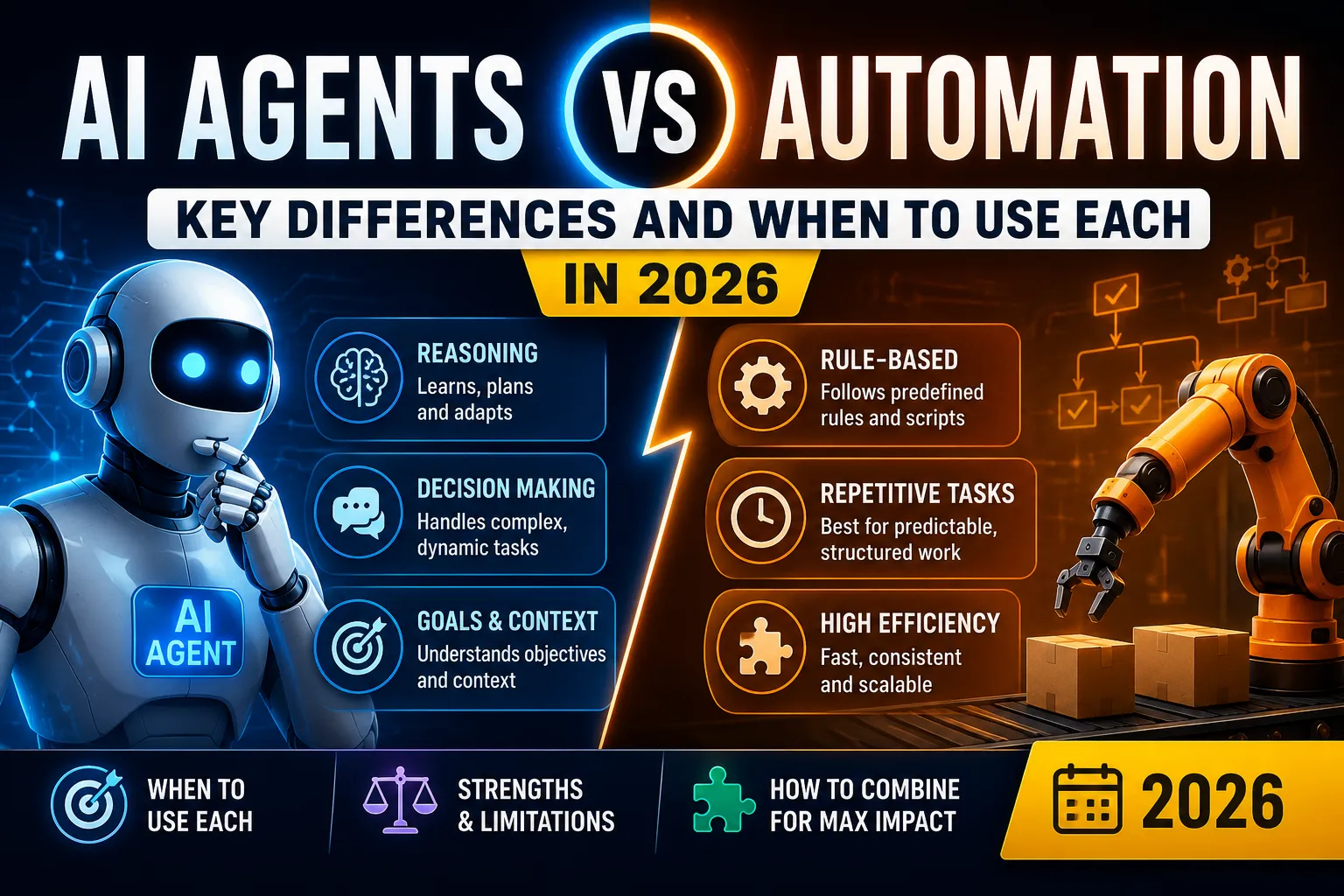
- AI automation is different from traditional automation. It learns, adapts, and makes decisions—it doesn't just follow rules.
- Start small. Pick one repetitive task, automate it, measure the impact, then expand.
- Choose the right tools. Not every tool fits every business. Understand your needs first.
- ROI is real. Businesses save 20-40% of time on automated tasks. Some save 60% or more.
- Security matters. AI automation introduces new risks. Plan for them from day one.
Who Is This Guide For?
This guide is for:
- Business owners who want to save time and money
- Operations managers looking to streamline workflows
- CTOs and tech leads evaluating automation tools
- Marketing, sales, and HR leaders exploring AI for their teams
- Anyone who wants to understand AI automation without the technical jargon
If you're curious about how AI can make your business more efficient, you're in the right place.
What Is AI Automation for Businesses?
AI automation uses artificial intelligence to handle tasks that typically require human intelligence.
Example: Instead of hiring someone to answer customer emails, an AI tool reads each email, understands the question, and replies automatically.
Key difference from traditional automation:
Traditional automation follows fixed rules. AI automation learns from data and improves over time.
AI automation handles:
- Understanding natural language (emails, chat, documents)
- Recognizing patterns (fraud detection, lead scoring)
- Making decisions (approving loans, routing support tickets)
- Generating content (drafting emails, social posts, reports)
How to Automate Business Workflows with AI: Step-by-Step
Step 1: Identify Automation Opportunities
Look for tasks that are:
- Repetitive (done daily or weekly)
- Time-consuming (take more than 15 minutes per instance)
- Rule-based (follow clear patterns)
- Data-intensive (involve sorting, categorizing, or analyzing information)
Example tasks to automate:
- Customer support responses
- Lead qualification
- Email outreach
- Social media scheduling and content creation
- Invoice processing
- Employee onboarding
- Report generation
For a complete list of real-world examples, read our guide on AI Automation Examples.
Step 2: Map Your Current Workflow
Before automating, understand your current process.
- Document each step from start to finish
- Identify bottlenecks (where work slows down)
- Note decision points (where humans make choices)
- Track time spent on each step
Example:
Current workflow for handling customer inquiries:
- Customer sends email → 5 minutes
- Support agent reads email → 2 minutes
- Agent researches answer → 10 minutes
- Agent writes reply → 5 minutes
- Agent sends email → 1 minute
Total time: ~23 minutes per inquiry
With AI automation, steps 2-4 can be reduced to 2 minutes total.
Step 3: Choose the Right AI Automation Tool
Your tool choice depends on:
- Your use case (customer support, marketing, sales, etc.)
- Your budget (free, mid-range, enterprise)
- Your technical skills (no-code vs. developer-friendly)
- Your data (where it lives, how sensitive it is)
Quick comparison of common categories:
For a detailed breakdown, see our guide on Best AI Automation Tools for Small Businesses.
Step 4: Start with a Pilot Project
Don't automate everything at once. Pick one small task and test.
Why a pilot?
- Low risk if something goes wrong
- Easy to measure results
- Learn what works before scaling
Example pilot:
Automate responses to the top 10 most common customer questions.
- Goal: Reduce support response time by 50%
- Success metric: Average response time drops from 4 hours to 2 hours
- Failure condition: No reduction after 30 days
Step 5: Measure, Learn, and Scale
After your pilot:
- Compare before and after metrics (time, cost, quality)
- Collect feedback from users and customers
- Make adjustments based on what you learned
- Expand to more tasks gradually
For a detailed approach to measurement, read How to Measure ROI from AI Automation.
Best AI Automation Tools for Businesses
Workflow Automation Tools
These tools connect your apps and automate sequences of actions.
Recommendation:
- Small businesses with no coding: Start with Zapier
- Teams who like visual building: Try Make
- Developers or privacy-focused teams: Use n8n
For a detailed comparison, read Zapier vs Make vs n8n: Which AI Automation Tool Wins?.
AI-Powered Specialized Tools
No-Code AI Automation Platforms
These platforms let you build AI automation without writing code.
- Zapier AI – Add AI steps to your Zapier workflows
- Make AI – AI-powered modules in Make scenarios
- n8n AI – AI nodes in n8n workflows
- ClickUp AI – AI built into project management
Best Practices for AI Automation in Business
1. Start with Clear Objectives
Define what success looks like:
- "Reduce customer support response time by 50%"
- "Save 10 hours per week on social media management"
- "Increase lead conversion rate by 15%"
2. Use Quality Data
AI is only as good as your data. Ensure your data is:
- Clean (no duplicates, errors, or missing values)
- Up-to-date (reflects current reality)
- Relevant (directly related to the task)
- Well-organized (structured for easy access)
3. Keep Humans in the Loop
AI automation should augment humans, not replace them.
- Review AI outputs before they go to customers
- Allow human override when AI makes mistakes
- Use AI as an assistant, not an autonomous decision-maker
4. Monitor Performance Continuously
Set up dashboards to track:
- Time saved per task
- Accuracy of AI outputs
- User and customer satisfaction
- Cost savings
5. Stay Compliant
AI automation has legal and ethical implications:
- GDPR and data privacy – Know where data goes
- AI regulations – Stay updated on new laws
- Bias and fairness – Test for bias in your AI outputs
- Transparency – Be clear with customers about AI use
Common AI Automation Mistakes (and How to Avoid Them)
Mistake 1: Automating the Wrong Task
The mistake: Automating a task before understanding it.
Solution: Map workflows first. Automate tasks that are repetitive, rule-based, and time-consuming.
Mistake 2: Ignoring Data Quality
The mistake: Feeding bad data into an AI system.
Solution: Clean your data before automation. Fix duplicates, fill missing values, and standardize formats.
Mistake 3: Expecting Perfect AI
The mistake: Believing AI will never make mistakes.
Solution: Accept AI imperfection. Build human review into critical processes.
Mistake 4: Scaling Too Fast
The mistake: Automating everything at once and failing.
Solution: Start with a pilot. Learn. Then scale gradually.
Mistake 5: Forgetting Security
The mistake: Exposing sensitive data through AI tools.
Solution: Use tools with enterprise-level security. Encrypt data. Limit access.
AI Automation Examples from Real Businesses
Example 1: Customer Support for an E-commerce Store
Challenge: 200+ customer emails per day. Support team overwhelmed.
Solution: AI chatbot handles common questions (shipping, returns, product info).
Result: 60% of emails resolved without human intervention. Response time dropped from 8 hours to 15 minutes.
Example 2: Lead Qualification for a B2B SaaS Company
Challenge: 500+ leads per month. Sales team spending hours qualifying.
Solution: AI tool scores leads based on company size, budget, and intent signals.
Result: Sales team focused on high-quality leads. Conversion rate increased by 25%.
Example 3: Social Media Content for a Marketing Agency
Challenge: Posting daily across 5 platforms. Content team burned out.
Solution: AI generates draft posts, schedules them, and analyzes performance.
Result: 15 hours saved per week. Engagement increased by 10%.
Example 4: Invoice Processing for an Accounting Firm
Challenge: 500+ invoices per month. Manual data entry causing errors.
Solution: AI extracts data from invoices and enters it into accounting software.
Result: Errors reduced by 90%. Processing time dropped from 10 minutes to 1 minute per invoice.
How to Measure ROI from AI Automation
Measuring ROI is essential to justify your investment.
Step 1: Calculate Time Saved
Time saved per task = (Old time – New time) × (Number of times task is done per month)
Example:
- Old time: 10 minutes per invoice
- New time: 2 minutes per invoice
- Time saved: 8 minutes per invoice
- Number of invoices: 500 per month
- Time saved per month: 8 × 500 = 4,000 minutes = 66 hours
Step 2: Calculate Labor Cost Savings
Cost savings = Time saved (hours) × Hourly rate
Example:
- Time saved: 66 hours per month
- Hourly rate: $30/hour
- Cost savings: 66 × 30 = $1,980 per month
Step 3: Calculate Revenue Impact
Some automation directly impacts revenue:
- Faster response → more leads converted
- Better personalization → higher sales
- Higher quality content → more engagement
Example:
- Lead qualification automation → 25% higher conversion
- Revenue from leads: $100,000/month
- Revenue increase: $25,000/month
Step 4: Calculate Net ROI
Net ROI = (Total benefits – Total costs) / Total costs × 100%
Example:
- Benefits: $1,980 (labor savings) + $25,000 (revenue increase) = $26,980/month
- Costs: $500/month (tool subscription) + $1,000/month (implementation) = $1,500/month
- Net ROI: ($26,980 – $1,500) / $1,500 × 100% = 1,699%
That's 1,700% ROI per month.
AI Automation Trends to Watch in 2026
-
AI agents are replacing simple chatbots – Moving from scripted responses to autonomous decision-making.
-
No-code AI automation is exploding – Anyone can build AI workflows without developers.
-
Industry-specific automation – AI tools built for healthcare, legal, real estate, and more.
-
Increased regulation – Governments introducing AI laws. Compliance is becoming essential.
-
AI + human collaboration – AI handles tasks, humans handle relationships and strategy.
-
Small business adoption accelerating – Affordable tools make AI accessible to everyone.
For a deeper dive, read AI Automation Trends 2026: What's Coming Next.
Conclusion
AI automation is the single biggest opportunity for business efficiency right now.
The key is to start small, choose the right tools, and measure everything.
Your next steps:
- Identify one task to automate this week
- Choose a tool (try a free tier)
- Run a pilot and measure the results
- If it works, expand
You don't need to be a tech expert. You just need to start.
FAQ
What is AI automation for businesses?
AI automation uses artificial intelligence to automate business processes, decisions, and tasks that traditionally require human intelligence. This includes customer support, marketing, sales, HR, finance, and operations.
How do I start with AI automation in my business?
Start by identifying repetitive tasks that consume significant time. Map your workflows, choose the right AI automation tool based on your needs, start with a small pilot project, measure results, then scale gradually.
What are the best AI automation tools for small businesses?
For small businesses, top tools include Zapier and Make for workflow automation, n8n for open-source flexibility, and specialized tools like ChatGPT for customer support, Jasper for marketing, and HubSpot AI for sales.
How much does AI automation cost for a business?
Costs vary widely. Entry-level tools start at $20-50/month for basic automation. Mid-range solutions cost $100-500/month. Enterprise solutions can cost thousands monthly. Many tools offer free tiers to start.
Can AI automation replace human employees?
No. AI automation augments human work, not replaces it. It handles repetitive tasks, allowing employees to focus on strategic, creative, and relationship-building work. The goal is productivity, not replacement.
What is the ROI of AI automation?
ROI varies but is typically high. Most businesses save 20-40% of time on automated tasks. Some save 60% or more. With proper implementation, ROI can exceed 1,000% in the first year.
Related Guides
- How to Automate Business Workflows with AI
- Best AI Automation Tools for Small Businesses
- Zapier vs Make vs n8n: Which AI Automation Tool Wins?
- How to Measure ROI from AI Automation
Read Next
Frequently asked questions
What is AI automation for businesses?
AI automation uses artificial intelligence to automate business processes, decisions, and tasks that traditionally require human intelligence. This includes customer support, marketing, sales, HR, finance, and operations.
How do I start with AI automation in my business?
Start by identifying repetitive tasks that consume significant time. Map your workflows, choose the right AI automation tool based on your needs, start with a small pilot project, measure results, then scale gradually.
What are the best AI automation tools for small businesses?
For small businesses, top tools include Zapier and Make for workflow automation, n8n for open-source flexibility, and specialized tools like ChatGPT for customer support, Jasper for marketing, and HubSpot AI for sales.
How much does AI automation cost for a business?
Costs vary widely. Entry-level tools start at $20-50/month for basic automation. Mid-range solutions cost $100-500/month. Enterprise solutions can cost thousands monthly. Many tools offer free tiers to start.
Can AI automation replace human employees?
No. AI automation augments human work, not replaces it. It handles repetitive tasks, allowing employees to focus on strategic, creative, and relationship-building work. The goal is productivity, not replacement.

Author
saad-elfallah
Saad writes about AI systems, software engineering, cybersecurity, and the tools shaping modern product teams.