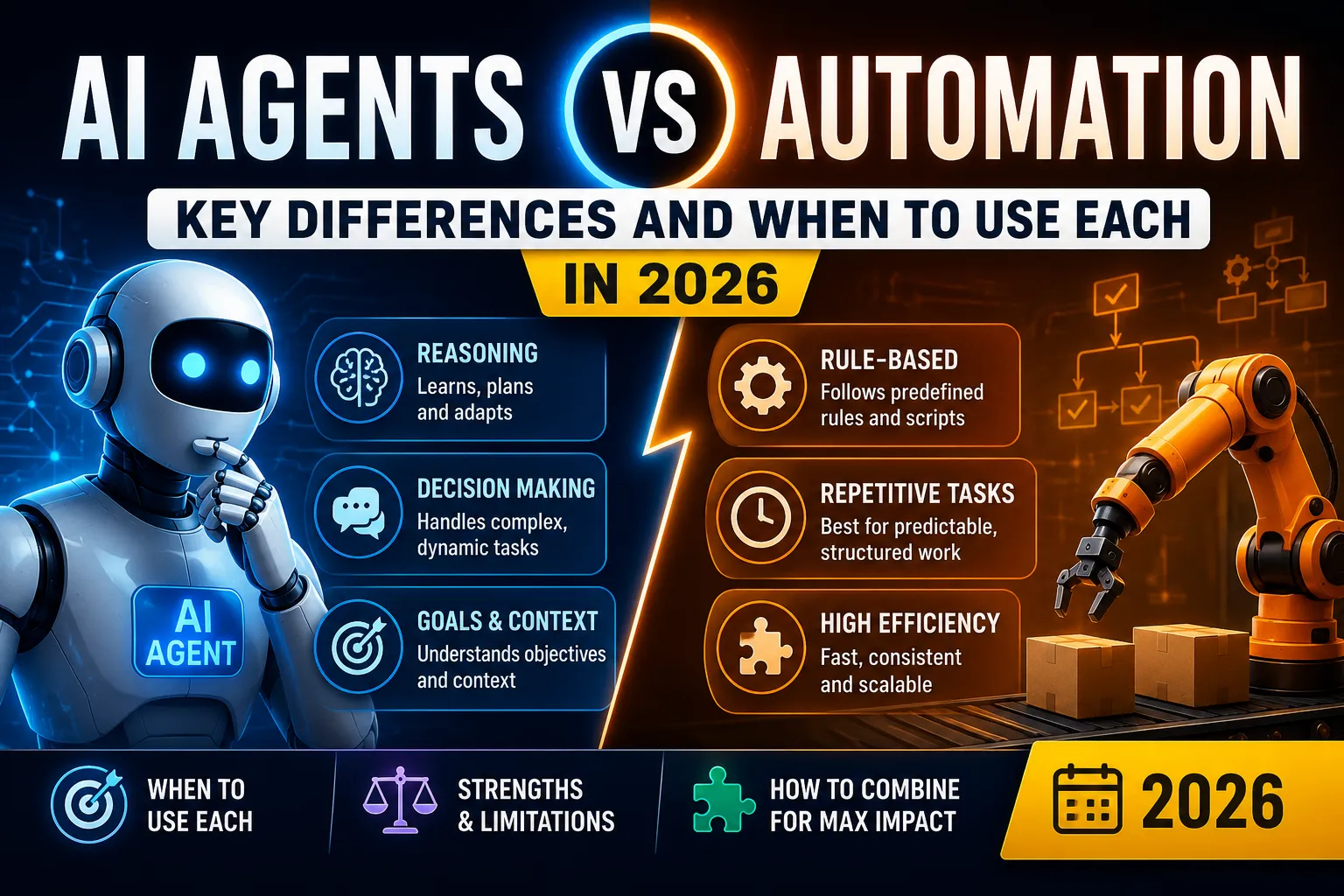
AI Automation for Finance: Tools and Strategies for 2026
The complete guide to AI automation for finance in 2026. Discover tools, strategies, and real-world examples to automate bookkeeping, invoicing, expense management, financial forecasting, fraud detection, and compliance.

AI Automation for Finance: Tools and Strategies for 2026
Finance is the backbone of every business. But finance teams spend too much time on manual tasks: data entry, invoice processing, expense tracking, and reconciliations.
AI automation is changing that. Finance teams can now automate bookkeeping, invoicing, expense management, forecasting, fraud detection, and compliance.
This guide covers everything you need to know about AI finance automation in 2026.
Key Takeaways
- AI automates bookkeeping and invoicing, reducing errors by 60-90%.
- Expense management is streamlined with AI-powered receipt capture and categorization.
- Financial forecasting is more accurate with AI analyzing historical data and trends.
- Fraud detection is real-time with AI identifying suspicious patterns.
- Compliance is automated with AI ensuring regulatory adherence.
- The best finance teams combine AI accuracy with human judgment.
Who Is This Guide For?
This guide is for:
- CFOs and finance directors
- Finance managers and accountants
- Business owners and founders
- Anyone looking to improve finance efficiency
What Is AI Finance Automation?
AI finance automation uses artificial intelligence to handle financial tasks that typically require human effort.
What AI Can Automate in Finance
Top AI Finance Automation Tools
1. Accounting and Bookkeeping
QuickBooks AI
- What it does: AI-powered accounting
- Best for: Small to medium businesses
- Pricing: $35-235/month
- Key features: Automated categorization, reconciliation, reporting
Xero AI
- What it does: AI-powered bookkeeping
- Best for: Small to medium businesses
- Pricing: $20-78/month
- Key features: Automated bank reconciliation, invoicing, expense tracking
FreshBooks AI
- What it does: AI-powered accounting for freelancers
- Best for: Freelancers and small businesses
- Pricing: $19-60/month
- Key features: Invoicing, expense tracking, time tracking
2. Invoicing and Billing
Bill.com AI
- What it does: AI-powered invoicing and billing
- Best for: Accounts payable and receivable
- Pricing: $39-69/month + per transaction
- Key features: Automated invoicing, payment processing, reconciliation
Stripe AI
- What it does: AI-powered payment processing
- Best for: Online payments
- Pricing: 2.9% + $0.30 per transaction
- Key features: Payment processing, fraud detection, reconciliation
Zoho Books AI
- What it does: AI-powered accounting and invoicing
- Best for: Small businesses
- Pricing: $15-40/month
- Key features: Invoicing, expense tracking, automation
3. Expense Management
Expensify AI
- What it does: AI-powered expense management
- Best for: Expense tracking and approvals
- Pricing: $5-9/user/month
- Key features: SmartScan receipt capture, automated categorization, approval workflows
SAP Concur AI
- What it does: AI-powered expense and travel management
- Best for: Enterprise expense management
- Pricing: Custom
- Key features: Expense tracking, travel booking, policy compliance
Ramp AI
- What it does: AI-powered spend management
- Best for: Corporate card and spend management
- Pricing: Free (2% cashback)
- Key features: Automated expense tracking, policy compliance, savings insights
4. Financial Forecasting and Analytics
Fathom AI
- What it does: AI-powered financial forecasting
- Best for: Financial analysis and forecasting
- Pricing: $79-299/month
- Key features: Forecasting, scenario planning, dashboard
Planful AI
- What it does: AI-powered financial planning and analysis
- Best for: Enterprise FP&A
- Pricing: Custom
- Key features: Forecasting, budgeting, reporting
Datarails AI
- What it does: AI-powered financial reporting
- Best for: Excel-based finance teams
- Pricing: Custom
- Key features: Automated reporting, forecasting, dashboard
5. Fraud Detection and Compliance
SAS AI
- What it does: AI-powered fraud detection
- Best for: Enterprise fraud prevention
- Pricing: Custom
- Key features: Anomaly detection, pattern analysis, compliance
IBM Watson AI
- What it does: AI-powered fraud detection and compliance
- Best for: Enterprise risk management
- Pricing: Custom
- Key features: Fraud detection, compliance monitoring, risk assessment
Alloy AI
- What it does: AI-powered compliance and risk management
- Best for: Fintech and banking
- Pricing: Custom
- Key features: Compliance automation, risk scoring, monitoring
Finance Automation Use Cases
1. Automated Bookkeeping
Challenge: Manual transaction categorization and reconciliation takes hours.
Solution:
- AI connects to bank accounts and credit cards
- AI categorizes transactions automatically
- AI reconciles accounts in real-time
- AI flags exceptions for human review
- AI generates financial reports automatically
Tools: QuickBooks AI, Xero AI, FreshBooks AI
Time saved: 10-30 hours per week
2. Invoice Processing
Challenge: Manual invoice processing is slow and error-prone.
Solution:
- AI extracts data from invoices (PDF, email, image)
- AI validates against purchase orders
- AI routes for approval
- AI schedules payments
- AI reconciles payments
Tools: Bill.com AI, QuickBooks AI, Xero AI
Time saved: 10-20 hours per week
3. Expense Management
Challenge: Expense reporting is manual, delayed, and inaccurate.
Solution:
- AI captures receipts via mobile app
- AI extracts data automatically (amount, date, vendor)
- AI categorizes expenses
- AI checks policy compliance
- AI routes for approval
Tools: Expensify AI, SAP Concur AI, Ramp AI
Time saved: 5-15 hours per week
4. Financial Forecasting
Challenge: Financial forecasting is time-consuming and often inaccurate.
Solution:
- AI analyzes historical financial data
- AI considers market trends and economic indicators
- AI runs multiple scenarios
- AI provides real-time forecasts
- AI recommends actions
Tools: Fathom AI, Planful AI, Datarails AI
Time saved: 5-10 hours per week
5. Fraud Detection
Challenge: Manual fraud detection misses suspicious activity.
Solution:
- AI monitors transactions in real-time
- AI identifies unusual patterns
- AI flags potential fraud
- AI alerts finance team
- AI provides investigation insights
Tools: SAS AI, IBM Watson AI, Alloy AI
Time saved: 10-20 hours per week
6. Financial Reporting
Challenge: Generating financial reports manually takes days.
Solution:
- AI pulls data from multiple sources
- AI generates reports automatically
- AI creates dashboards
- AI provides insights and recommendations
- AI sends reports on schedule
Tools: QuickBooks AI, Xero AI, Datarails AI
Time saved: 5-15 hours per week
How to Implement AI Finance Automation
Step 1: Audit Your Finance Processes
Questions to answer:
- How many invoices do you process monthly?
- How long does expense reporting take?
- How accurate is your forecasting?
- What's your financial close cycle?
- Where are the biggest bottlenecks?
Step 2: Identify Automation Opportunities
Look for:
- Transaction categorization and reconciliation
- Invoice processing
- Expense management
- Financial forecasting
- Fraud detection
- Financial reporting
Step 3: Start with One Area
Recommended sequence:
- Start with bookkeeping (fastest ROI)
- Add invoicing automation (biggest time savings)
- Add expense management (employee impact)
- Add financial forecasting (strategic value)
- Add fraud detection (risk reduction)
- Add financial reporting (efficiency)
Step 4: Choose the Right Tools
For SMBs:
- Start with QuickBooks or Xero
- Add Expensify or Ramp
- Add Fathom later
For Enterprises:
- Start with SAP Concur or Bill.com
- Add Planful or Datarails
- Add SAS or IBM for fraud detection
Step 5: Train Your Finance Team
- Explain how AI helps (not replaces)
- Show them how to use the tools
- Provide examples of successful use
- Address concerns openly
Step 6: Measure and Optimize
Metrics to track:
- Invoice processing time
- Expense reporting time
- Financial close cycle
- Forecast accuracy
- Error rates
- Cost savings
Best Practices
1. Keep Humans in the Loop
AI processes invoices, but humans approve exceptions. AI forecasts, but humans make decisions. The best finance teams combine AI accuracy with human judgment.
2. Use AI for Data Validation
AI can validate data accuracy and flag errors. This reduces manual review time and improves quality.
3. Ensure Data Security
Financial data is sensitive. Use tools with enterprise-grade security and encryption. Ensure compliance with regulations.
4. Integrate with Existing Systems
Ensure your AI tools integrate with your ERP, accounting software, and banking systems. Data silos kill automation.
5. Continuously Train Your AI
AI improves with data. Update your AI models regularly with financial data and feedback.
6. Measure Everything
Track AI's impact on processing time, error rates, forecast accuracy, and cost savings.
Common Mistakes to Avoid
Mistake 1: Automating Without Integration
Don't: Use AI tools without integrating with your accounting system.
Do: Ensure all tools integrate with your financial systems.
Mistake 2: Relying Solely on AI for Decisions
Don't: Let AI make financial decisions without human oversight.
Do: Use AI for insights and human judgment for decisions.
Mistake 3: Ignoring Data Security
Don't: Use tools without proper security.
Do: Ensure tools meet security and compliance standards.
Mistake 4: Automating Too Much, Too Fast
Don't: Automate all finance processes at once.
Do: Start with one area and expand gradually.
Mistake 5: Not Training the Team
Don't: Implement without training.
Do: Train finance teams on how to use AI effectively.
ROI of AI Finance Automation
Time Savings
Error Reduction
- Bookkeeping: 60-90% fewer errors
- Invoicing: 80-95% fewer errors
- Expense reporting: 50-80% fewer errors
- Financial reporting: 70-90% fewer errors
Cost Savings
- Invoice processing: 50-80% reduction in processing costs
- Expense management: 30-50% reduction in processing costs
- Financial close: 30-50% faster close
- Fraud prevention: 20-40% reduction in fraud losses
ROI Calculation Example
Company size: 100 employees
Before AI:
- Invoices/month: 500
- Invoice processing time: 15 minutes each
- Total time: 125 hours/month
- Finance team cost: $8,000/month (2 accountants)
After AI:
- Invoices/month: 500
- Invoice processing time: 3 minutes each
- Total time: 25 hours/month
- Finance team cost: $4,000/month (1 accountant)
Savings: $4,000/month × 12 = $48,000/year
AI investment: $3,000/year (tools, training)
ROI: ($48,000 - $3,000) / $3,000 × 100% = 1,500%
For a detailed ROI calculation, read How to Measure ROI from AI Automation.
Real-World Examples
Example 1: Accounting Firm
Challenge: Bookkeeping for 50 clients was time-consuming and error-prone.
Solution: AI-powered bookkeeping automation.
Results:
- 80% reduction in bookkeeping time
- 95% fewer errors
- 30% increase in clients served
Example 2: Manufacturing Company
Challenge: Invoice processing delayed payments and frustrated vendors.
Solution: AI-powered invoice processing and approval automation.
Results:
- Invoice processing: 15 days → 2 days
- Vendor satisfaction improved
- Late payment penalties eliminated
Example 3: Fintech Startup
Challenge: Manual fraud detection missed 10% of suspicious transactions.
Solution: AI-powered real-time fraud detection.
Results:
- Fraud detection rate: 90% → 99.5%
- $200,000 annual savings in fraud losses
- Compliance improved
Future Trends (2026-2027)
Trend 1: AI-Powered Autonomous Finance
AI agents that handle entire finance processes from end-to-end with minimal human intervention.
Trend 2: Predictive Finance
AI that predicts financial outcomes and recommends actions in real-time.
Trend 3: Real-Time Financial Reporting
AI that provides real-time financial insights and dashboards.
Trend 4: AI-Enhanced Compliance
AI that automates compliance checks and regulatory reporting.
Trend 5: Conversational Finance
AI that answers financial questions and provides insights through natural language.
Conclusion
AI finance automation is transforming how finance teams work.
Summary:
- Bookkeeping: AI automates categorization and reconciliation
- Invoicing: AI processes invoices 5x faster
- Expense management: AI streamlines reporting and approvals
- Forecasting: AI provides accurate, real-time forecasts
- Fraud detection: AI identifies suspicious patterns instantly
Your next steps:
- Audit your finance processes
- Identify automation opportunities
- Start with bookkeeping automation
- Add invoicing and expense management
- Measure and expand
FAQ
What is AI finance automation?
AI finance automation uses artificial intelligence to automate financial tasks like bookkeeping, invoicing, expense management, financial forecasting, fraud detection, and compliance. It helps finance teams save time, reduce errors, improve accuracy, and make better decisions.
What are the best AI finance automation tools?
Top tools include QuickBooks AI for accounting, Xero AI for bookkeeping, Expensify AI for expense management, and Bill.com AI for invoicing. For forecasting and analytics, consider Fathom AI or Planful AI. For fraud detection, use SAS AI or IBM AI.
How can AI improve financial forecasting?
AI can analyze historical data, market trends, and economic indicators to predict future financial performance with high accuracy. It can identify patterns humans miss, adjust forecasts in real-time, and provide scenario analysis for better decision-making.
Can AI automate expense management?
Yes. AI can automate expense tracking, receipt capture, categorization, policy compliance checking, and approval workflows. AI-powered expense management reduces processing time by 80% and eliminates manual errors.
What is the ROI of AI finance automation?
AI finance automation delivers significant ROI: 50-80% faster invoice processing, 60-90% reduction in errors, 30-50% faster financial close, and 20-40% reduction in operational costs. ROI varies based on team size and implementation.
What finance tasks should I automate first?
Start with bookkeeping (transaction categorization and reconciliation). It gives the fastest return on investment. Then add invoicing automation, expense management, financial forecasting, and fraud detection. This sequence builds momentum and delivers value early.
Related Guides
- AI Automation Guide for Businesses in 2026
- How to Automate Business Workflows with AI
- Best AI Automation Tools for Small Businesses
- How to Measure ROI from AI Automation
Read Next
- AI Automation Examples: Real-World Use Cases
- AI Automation for Sales Teams: Tools and Strategies
- AI Automation Trends 2026: What's Coming Next
Related articles
Frequently asked questions
What is AI finance automation?
AI finance automation uses artificial intelligence to automate financial tasks like bookkeeping, invoicing, expense management, financial forecasting, fraud detection, and compliance. It helps finance teams save time, reduce errors, improve accuracy, and make better decisions.
What are the best AI finance automation tools?
Top tools include QuickBooks AI for accounting, Xero AI for bookkeeping, Expensify AI for expense management, and Bill.com AI for invoicing. For forecasting and analytics, consider Fathom AI or Planful AI. For fraud detection, use SAS AI or IBM AI.
How can AI improve financial forecasting?
AI can analyze historical data, market trends, and economic indicators to predict future financial performance with high accuracy. It can identify patterns humans miss, adjust forecasts in real-time, and provide scenario analysis for better decision-making.
Can AI automate expense management?
Yes. AI can automate expense tracking, receipt capture, categorization, policy compliance checking, and approval workflows. AI-powered expense management reduces processing time by 80% and eliminates manual errors.
What is the ROI of AI finance automation?
AI finance automation delivers significant ROI: 50-80% faster invoice processing, 60-90% reduction in errors, 30-50% faster financial close, and 20-40% reduction in operational costs. ROI varies based on team size and implementation.

Author
saad-elfallah
Saad writes about AI systems, software engineering, cybersecurity, and the tools shaping modern product teams.